Your team runs unit tests on every commit, and coding agents now write many of them: Capgemini’s recent World Quality Report finds that 43% of organizations experiment with generative AI in QA. But a green unit suite gives you only part of the proof. A renamed field in the payment service gets a green result from every unit test in the orders service and breaks the release. This unit testing vs integration testing guide shows where the line sits and how to see both layers in a single report.
What Is the Difference Between Unit Testing and Integration Testing?
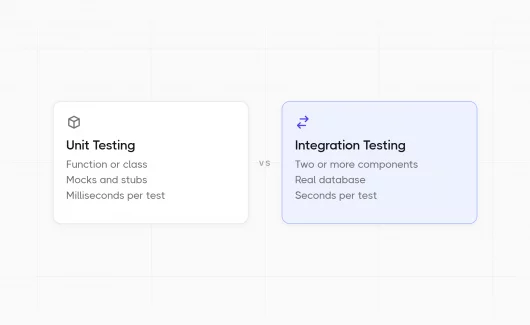
Unit testing checks a function or class in isolation and replaces its dependencies with mocks. Integration testing checks that several real components work together, for example, a service and its database.
The two types of testing answer different questions:
- Unit test asks whether your logic is correct, so unit testing focuses on individual components.
- Integration test asks whether your logic works with a real database or a real HTTP response, so integration testing verifies that multiple components work together.
In practice, this difference shows the following:
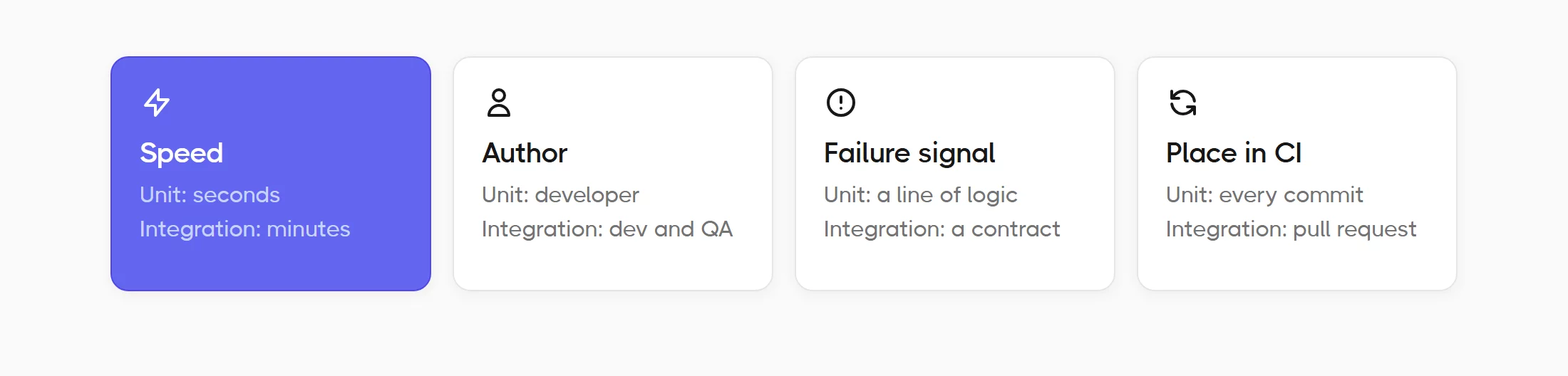
- Speed. A unit suite of 2,000 tests usually finishes in a few seconds. Integration tests are slower and take a longer time: a suite of 200 tests can take several minutes, because each test starts a real dependency.
- Author. The developer writes the unit tests with the code. Developers and QA engineers share the integration tests.
- Failure signal. A failed unit test shows which line of logic broke, so unit tests catch bugs close to the code. A failed integration test shows which contract between components broke.
- Place in CI. Unit tests usually run on every commit. Integration tests run on every pull request or on a schedule.
Here is the short version of the key differences:
| Aspect | Unit testing | Integration testing |
|---|---|---|
| Scope | A function, method or class | Two or more components together |
| Dependencies | Mocks and stubs replace them | Real: database, queue, HTTP API |
| Speed | Milliseconds per test | Seconds per test |
| Who writes it | The developer who writes the code | Developers and QA engineers |
| A failure shows | Which line of logic broke | Which contract between components broke |
| Maintenance cost | Low per test, high in total volume | Higher per test, lower in total volume |
| Runs in CI | On every commit | On merge or on a schedule |
Now we describe each type of software testing in detail, starting with the smaller layer.
What Is Unit Testing?
Unit testing is a type of software testing that checks the smallest testable piece of code, usually a function or a class, in isolation from the rest of the system. The developer who writes the code writes the test in the same language and the same repository, early in the development process.
A test runner executes the suite. JavaScript teams use Jest or Vitest, and Java teams use JUnit. Our overview of unit testing tools compares the main runners per language. Whatever the runner, a good unit test runs in milliseconds and gives the same result on every machine. So you can run 2,000 of them before every commit. Unit testing is typically the first automated testing a team adds. Teams use unit testing on every commit, and teams that practice test-driven development (TDD) write the unit test before the code.
What a Unit Test Looks Like
Take a pricing function that sums the items in a cart and applies tax. Writing unit tests for it means calling the function with fixed input and comparing the output with a known value.
// price.js
export function calculateTotal(items, taxRate) {
  const subtotal = items.reduce((sum, item) => sum + item.price * item.qty, 0);
  return Math.round(subtotal * (1 + taxRate) * 100) / 100;
}

// price.test.js
import { calculateTotal } from './price';

test('applies tax to the subtotal', () => {
  const items = [{ price: 10, qty: 2 }, { price: 5, qty: 1 }];
  expect(calculateTotal(items, 0.2)).toBe(30);
});
Four properties make this a unit test:
- Memory only. The function and the test run in the same process, with zero calls to external dependencies such as a network or a database.
- Fixed input. The cart lives inside the test file, so the result is the same after a year.
- A single assertion. The test checks the total and stops there.
- Fast. The test runs in under a millisecond, so you can run thousands of them before a commit.
If you want a larger example with folders and a shared config, our Jest framework setup tutorial covers a full project.
Mocks and Stubs in Unit Tests
Most functions depend on something else, for example a database client or an HTTP client for an external service. A unit test replaces these dependencies with test doubles. A stub returns a fixed value. A mock returns a fixed value and also records how your code called it, so the test can check the arguments. The jest.fn() helper in Jest creates both, as the Jest mock functions guide explains.
Mocks keep unit tests fast, and they also create the main risk of the layer. When you mock the database client, the test proves that your code behaves as expected when it calls the mock. The mock accepts every call, so it also accepts a call the real database rejects. A practical rule helps here: mock the dependencies at the edge of your module, and keep the logic inside the module real. The next section shows what happens at that edge.
What Is Integration Testing?
Integration testing is a type of testing that checks the interface between two software units or modules, for example a service and its database, or your code and external services over HTTP. The test sends real input to the running dependency and checks the real output, so it can expose faults in the interaction between integrated units.
This layer catches the bugs that sit between different parts of the system:
- a renamed field in a request or a response
- a changed status code
- a wrong connection string
- a transaction that fails to commit
Integration testing happens after unit testing and before system testing in most testing processes. Developers write most integration tests in the same repository as the unit tests, and QA engineers often write the tests that cross service boundaries. Integration tests often use black-box testing: the test knows the API contract and ignores the code inside. Our evaluation of integration testing tools covers the frameworks and helpers for this layer.
Integration Testing Examples
The examples below show common use cases for the layer. Each of them runs a real dependency in a separate process.
- API and database. You send a
POST /ordersrequest to the running service, then read the row from a real Postgres instance and compare the fields. - Service to service. The orders service calls the payment service over HTTP and handles the real response format.
- Queue consumer. You publish a message to a real queue and check that the consumer stores the result within 2 seconds.
- Third-party API. You call the sandbox of a payment provider and check how your code maps its response.
When the components are whole systems, such as an ERP and a CRM, the practice has a separate name. Our guide to system integration testing covers that case.
Integration Approaches

Teams combine modules in a fixed order, and the order defines the approach. The common approaches are:
- Big bang. The team joins every module and tests the result as a whole. It needs little planning, and a failure gives little information because the cause can sit in every module.
- Top-down. The team starts from the API or UI layer and adds modules step by step, with stubs for the modules below.
- Bottom-up. The team starts from the database layer and adds modules above it, with small driver programs that call the modules under test.
- Sandwich. The team combines top-down and bottom-up and meets in the middle layer. Large systems with many modules use this approach.
Most teams with a CI pipeline use an incremental approach at the service boundary. Each pull request tests the changed service with its real database, and a nightly job tests the full chain in the shared test environments. That gives you a short list of possible causes when a test fails.
The Same Feature Tested Both Ways
Let’s take the renamed field from the intro and write a unit test and integration test for the same feature. This unit test vs integration test comparison shows what each layer proves. The orders service builds a payment request and sends it to the payment service.
// order-service.js
export async function createOrder(order, paymentClient) {
  const payment = await paymentClient.charge({
    amount_cents: order.total * 100,
    currency: order.currency,
  });
  return { ...order, paymentId: payment.id, status: 'paid' };
}
The unit test replaces the payment client with a mock and checks the arithmetic and the status logic.
// order-service.test.js
test('creates a paid order', async () => {
  const paymentClient = { charge: jest.fn().mockResolvedValue({ id: 'pay_1' }) };
  const result = await createOrder({ total: 30, currency: 'EUR' }, paymentClient);
  expect(paymentClient.charge).toHaveBeenCalledWith({ amount_cents: 3000, currency: 'EUR' });
  expect(result.status).toBe('paid');
});
The integration test uses the real client against a running payment service.
// order-service.integration.test.js
import { PaymentClient } from './payment-client';

test('charges the real payment service', async () => {
  const paymentClient = new PaymentClient(process.env.PAYMENT_URL);
  const result = await createOrder({ total: 30, currency: 'EUR' }, paymentClient);
  expect(result.paymentId).toMatch(/^pay_/);
});
Now the payment team renames amount_cents to amountCents. The unit test stays green, because the mock records the call and returns pay_1 for every request. The integration test fails with a 400 response that says amountCents is required.
Each test proved a different thing. The unit test proved that 30 euros become 3,000 cents and that a charged order gets the status paid. The integration test proved that the two services agree on the contract. You need both proofs before a release.
The integration test needs a running payment service with realistic data, and that is the usual reason teams write few tests at this layer. The World Quality Report finds that 60% of organizations struggle with secure, scalable test data. Two techniques reduce the cost. For a database, the test can start a real Postgres in a Docker container and remove the container after the run, so the SQL you test is the SQL you deploy. For a service, a contract test with a tool such as Pact records the requests the orders service sends and replays them against the payment service code, so each side runs alone and the renamed field fails in seconds.
Where Does a Unit Test End and an Integration Test Begin?
A test becomes an integration test when it touches a real dependency outside your process: a database, the network, the file system or another service. Everything that runs in memory counts as a unit test.
The unclear cases come from tests that call several classes at once. Martin Fowler, in his UnitTest article, separates two styles. A sociable unit test lets the class under test call its real collaborators, and everything runs inside the same process. A solitary unit test replaces every collaborator with a test double. Both styles are unit tests, because the difference sits in the design of the test, and both run inside the process boundary.
Google uses a size rule instead of a type rule. Its test sizes model, described in the book Software Engineering at Google, defines three sizes:
- Small. The test runs in a single process and uses memory only.
- Medium. The test may use localhost and a local database on the same machine.
- Large. The test may use everything, including external systems.
The size rule gives a team a clear way to sort a new test. Here is how it applies to common cases:
| The test… | Layer | Reason |
|---|---|---|
| Calls two classes from the same module in memory | Unit (sociable) | Everything runs in the process |
| Mocks the HTTP client and checks the request body | Unit | A double replaces the network |
| Reads a fixture file that lives in the repository | Unit in most teams | The repository stores the file with the code, so the result is stable |
| Uses in-memory SQLite instead of Postgres | Integration with low value | It checks your SQL against a different engine than production |
| Starts Postgres in a Docker container | Integration | A real dependency in a separate process |
| Calls a payment sandbox over HTTPS | Integration | The network and a third party |
A simple check works for most teams: a test belongs in the unit suite when it runs in under 100 milliseconds and sends zero network requests.
Do You Need Unit Tests If You Have Integration Tests?
Integration testing helps you see that parts of the system work together, and unit tests show which line broke. Unit testing also runs in seconds. The reverse question matters as much, because unit and integration testing cover different risks:
- A team with unit tests alone meets the renamed field bug in production, because every mock accepted the old field.
- A team with integration tests alone waits 15 minutes for feedback on every change, and a failure gives a long list of possible causes.
So the practical question is the ratio between the layers, and the answer depends on the shape of your application.
Testing Pyramid vs Testing Trophy
Four shapes describe the ratio between the layers:
- The testing pyramid. Mike Cohn introduced it in his book Succeeding with Agile. It puts many unit tests at the base and fewer integration tests in the middle, with a few end-to-end tests at the top. The pyramid fits libraries and backends with complex business logic, where most of the risk sits in the logic.
- The testing trophy. Kent C. Dodds described it for frontend applications. It makes the integration layer the largest, because a test that renders a component with a real DOM gives more confidence per test than a test of an isolated function.
- The honeycomb. Spotify engineers described it for microservices in 2018. It also makes integration the largest layer, because each service is small and the risk sits at the boundaries between services.
- The ice cream cone. Alister Scott named this anti-pattern in 2012. Most tests run through the UI as e2e tests, so the suite is slow and every failure needs manual investigation.
The pyramid remains the default advice for most teams. Ham Vocke sums it up in The Practical Test Pyramid:
“Write lots of small and fast unit tests.”
Ham Vocke, The Practical Test Pyramid
So a React application and a set of microservices both favor integration tests, while a payment calculation library favors unit tests. Our article on the testing pyramid covers the trade-offs of each shape in more depth. An exploratory agent such as Explorbot covers the top layer. It explores the UI on CI and reports its findings to Testomat.io, so the top layer gets test coverage with fewer hand-written scripts.
Unit vs Integration vs E2E vs System Testing
Readers often meet four or five test types in the same conversation. The table below places each testing method.
| Type | What it checks | Who writes it | Typical runtime |
|---|---|---|---|
| Unit | A function or class in isolation | Developers | Milliseconds |
| Integration | Two or more components through real interfaces | Developers and QA | Seconds |
| System | The whole deployed application against its requirements | QA | Minutes |
| End-to-end (E2E) testing | A full user journey through the UI or API | QA and automation engineers | Minutes |
Functional testing and regression testing describe a purpose rather than a layer. A functional test checks that a feature meets its requirement, and a regression test checks that a fixed bug stays fixed. Both purposes belong in the overall testing strategy, and unit and integration tests both serve each purpose.
Unit and Integration Tests in a CI/CD Pipeline
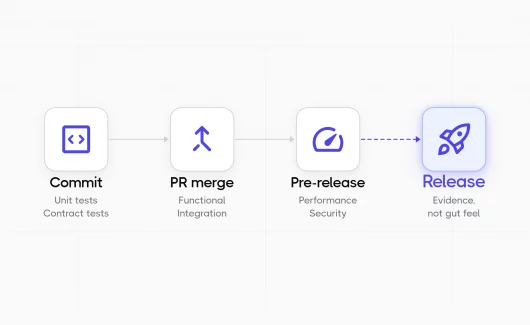
The two layers belong to different stages of the pipeline, because they cost different amounts of time. A common DevOps setup runs the test suites in four stages:
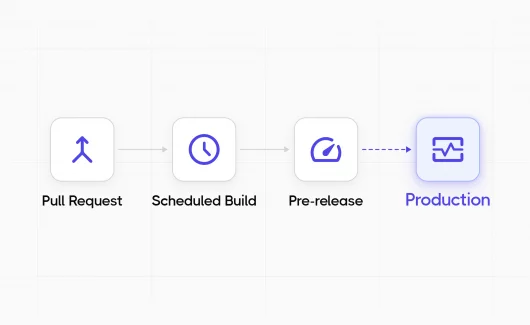
- On every commit: the unit suite, with a budget of 5 minutes.
- On every pull request or merge: the integration suite, with a budget of 15 minutes.
- Nightly: end-to-end testing on the main branch.
- Before a release: system tests on the release candidate.
That split in GitHub Actions has two jobs, and the second job starts only after the first job succeeds:
jobs:
  unit:
    runs-on: ubuntu-latest
    steps:
      - uses: actions/checkout@v4
      - run: npm ci
      - run: npx jest --testPathIgnorePatterns integration
  integration:
    needs: unit
    runs-on: ubuntu-latest
    services:
      postgres:
        image: postgres:16
        env: { POSTGRES_PASSWORD: test }
        ports: ['5432:5432']
    steps:
      - uses: actions/checkout@v4
      - run: npm ci
      - run: npx jest --testPathPattern integration
The needs: unit line saves the cost of a database container when the logic is already broken. The services block gives the integration job a real Postgres 16 on localhost, which matches the medium test size from the previous section. Testing workflows like this give developers feedback in minutes and reserve the slow stages for the main branch.
AI-Generated Tests and the Layer Balance
Coding agents are now part of software development, and they change the ratio between the layers in a way that few teams expect. According to the World Quality Report 2025-26, 43% of organizations experiment with generative AI in QA, while 15% use it at enterprise scale. An agent sees the function in front of it, so it handles writing unit tests cheaply and in volume. The agent usually lacks a running database, so it writes few integration tests. The suite grows at the base while the service boundaries remain untested.
Two habits keep the balance:
- Keep the integration job as a required check in the pipeline, so a large unit suite adds to it instead of replacing it.
- Give the agent the current test inventory and run history before it writes more, so it fills gaps instead of duplicating cases.
Our AI unit testing guide covers the prompts and the review process for agent-written tests. The next section covers the second habit.
How Testomat.io Fits With Unit and Integration Tests
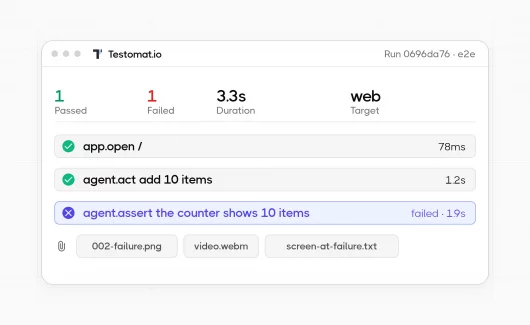
Developers write and run tests with Jest and JUnit, and each CI job writes a separate log. The unit result is in the first job and the integration result in the second, so the person who decides on the release reads two logs and combines them by hand. The World Quality Report 2025-26 finds that 94% of organizations review production data, and nearly half struggle to turn it into action. Test results in two separate logs create the same problem before the release. Testomat.io, a test management platform with quality analytics, collects both layers into a single run report, which removes the manual effort of merging logs. The team decides from the full picture.
Reporting Both Layers to a Single Run
Results reach the platform in two ways. Testomat.io Reporter sends results from the test runner itself and has native support for Jest, Mocha, JUnit, Cypress and other frameworks, so the unit job and the integration job both report to the same project. For every other runner, JUnit XML format support imports the standard report file that test runners produce.
Two workflows fit here:
- In a code-first workflow, developers keep the tests in the repository and Testomat.io imports them as test cases, so each test exists in the project before its first run.
- In a specification-first workflow, QA writes the test cases first, and developers link the automated tests to them by ID, so the manual case and its automation share a single record.
Both workflows give QA managers a view of the test coverage the developers provide, with the same visibility as the manual test cases.
Separating Layers With Labels and Run Groups
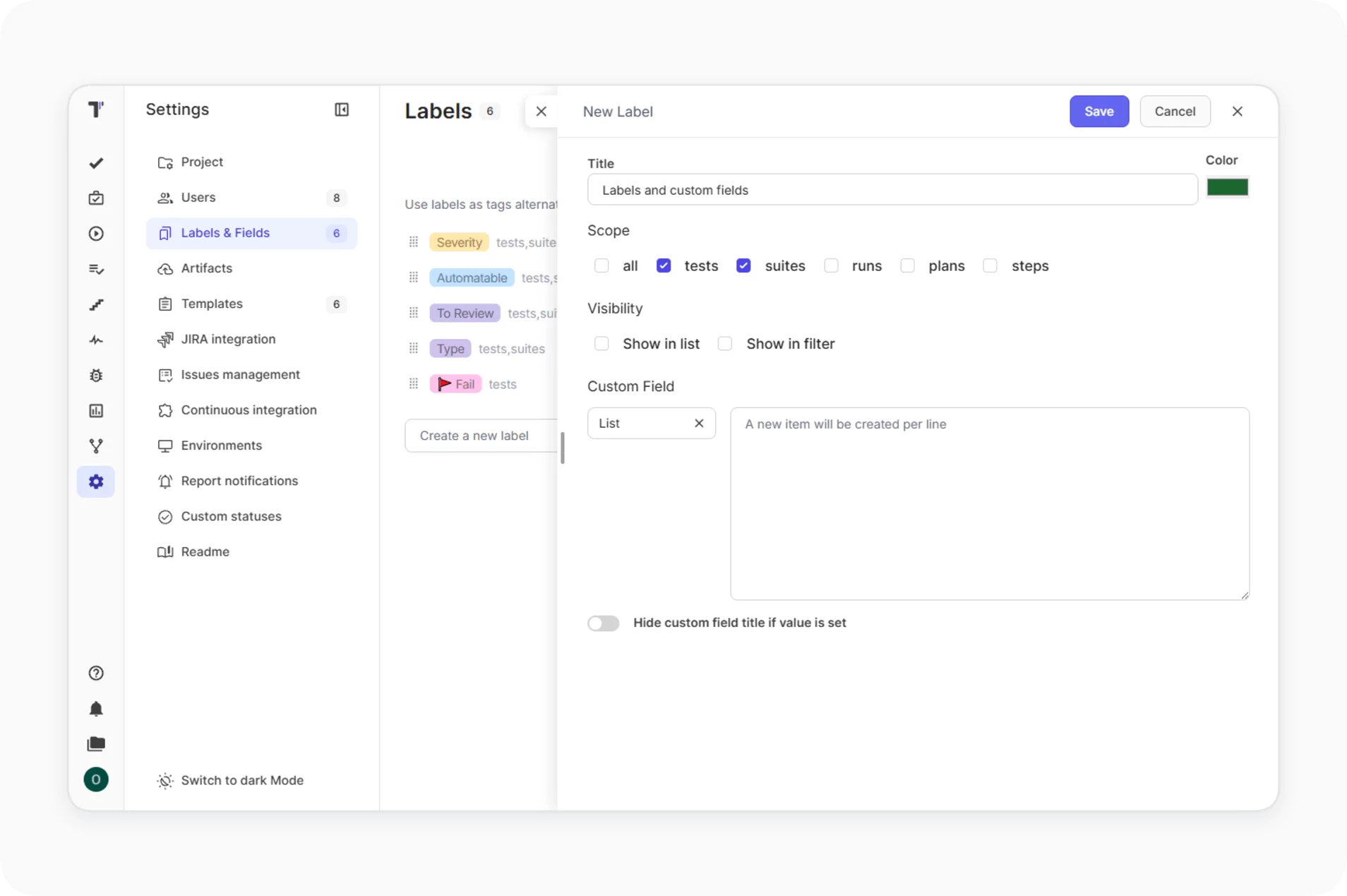
- Labels separate the two layers. When you import the tests, you can attach labels in bulk, for example
type:unitfor the unit folder andtype:integrationfor the integration folder. Every report and every filter can then show a single layer or both.
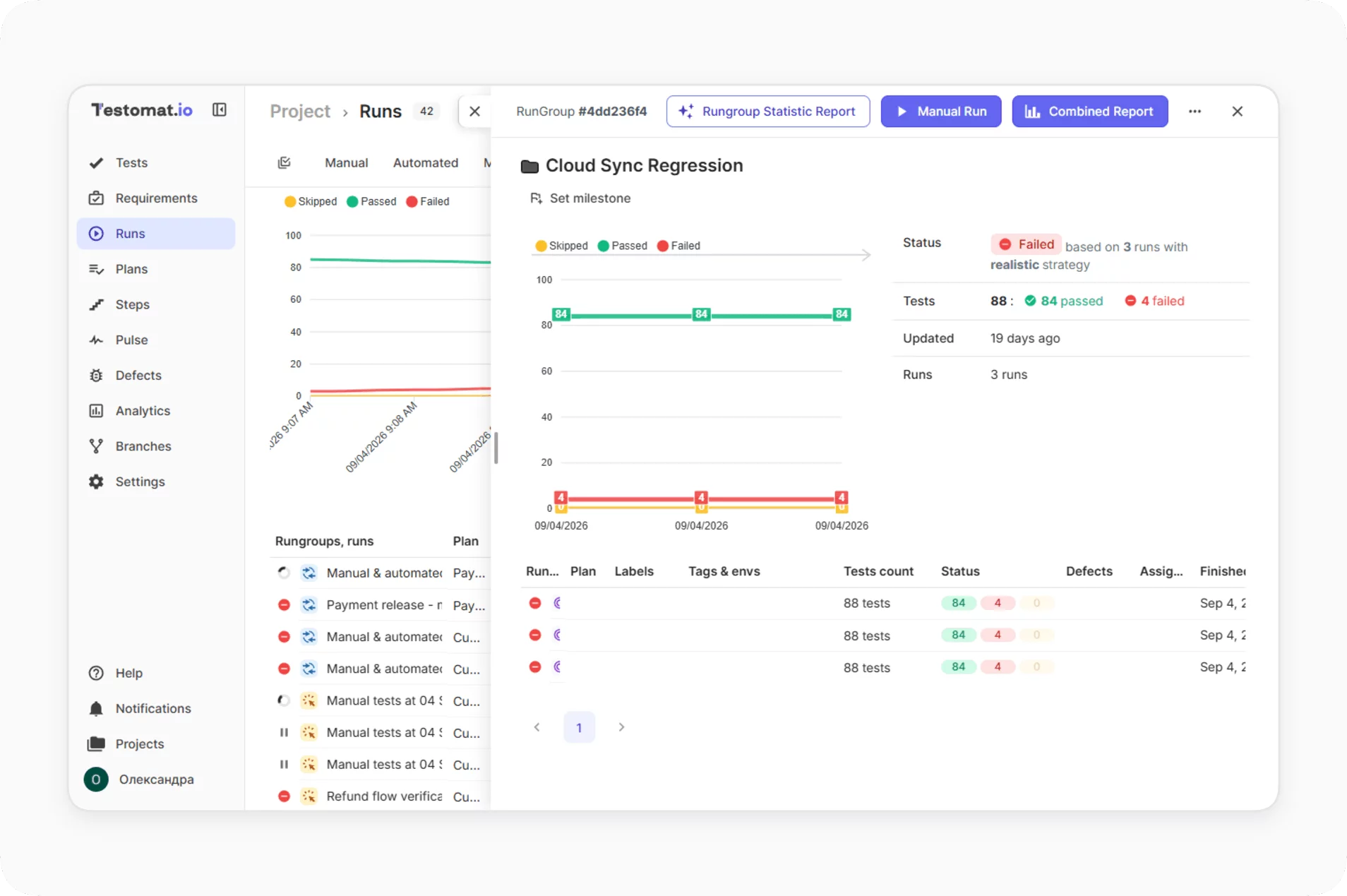
- Run Groups then join the two CI jobs of the same build. The Rungroup Statistic Report shows the counts of green, failed and skipped tests for every run in the group, so a release manager sees the build as a whole in a single view.
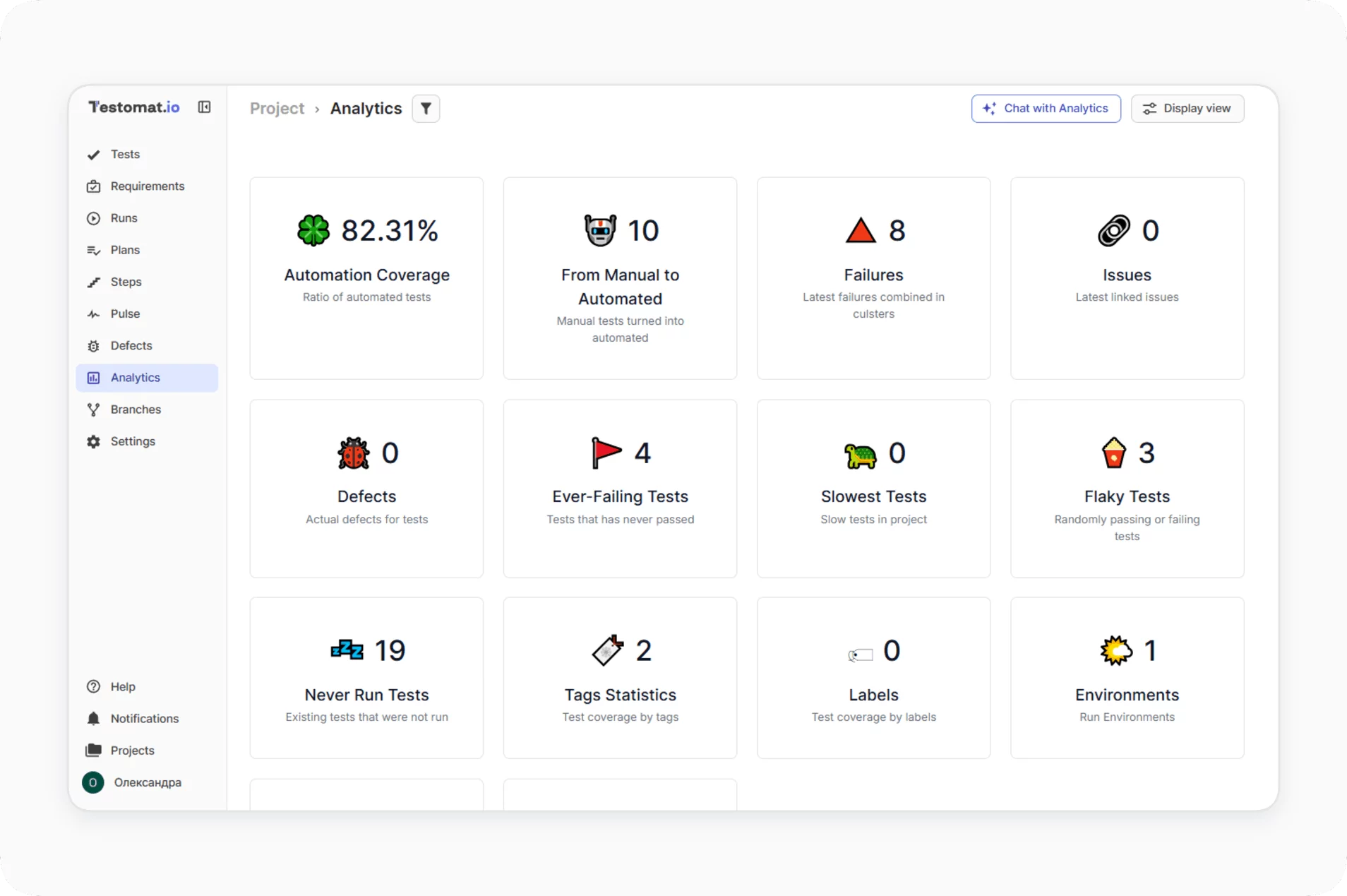
- Automation Coverage widget filters by labels as well, so you see the real number of unit and integration tests and can compare it with your plan.
Finding Which Layer Produces Flaky Failures
Flaky failures usually appear in the integration layer, because timing and shared state sit there. Three features show where the noise sits:
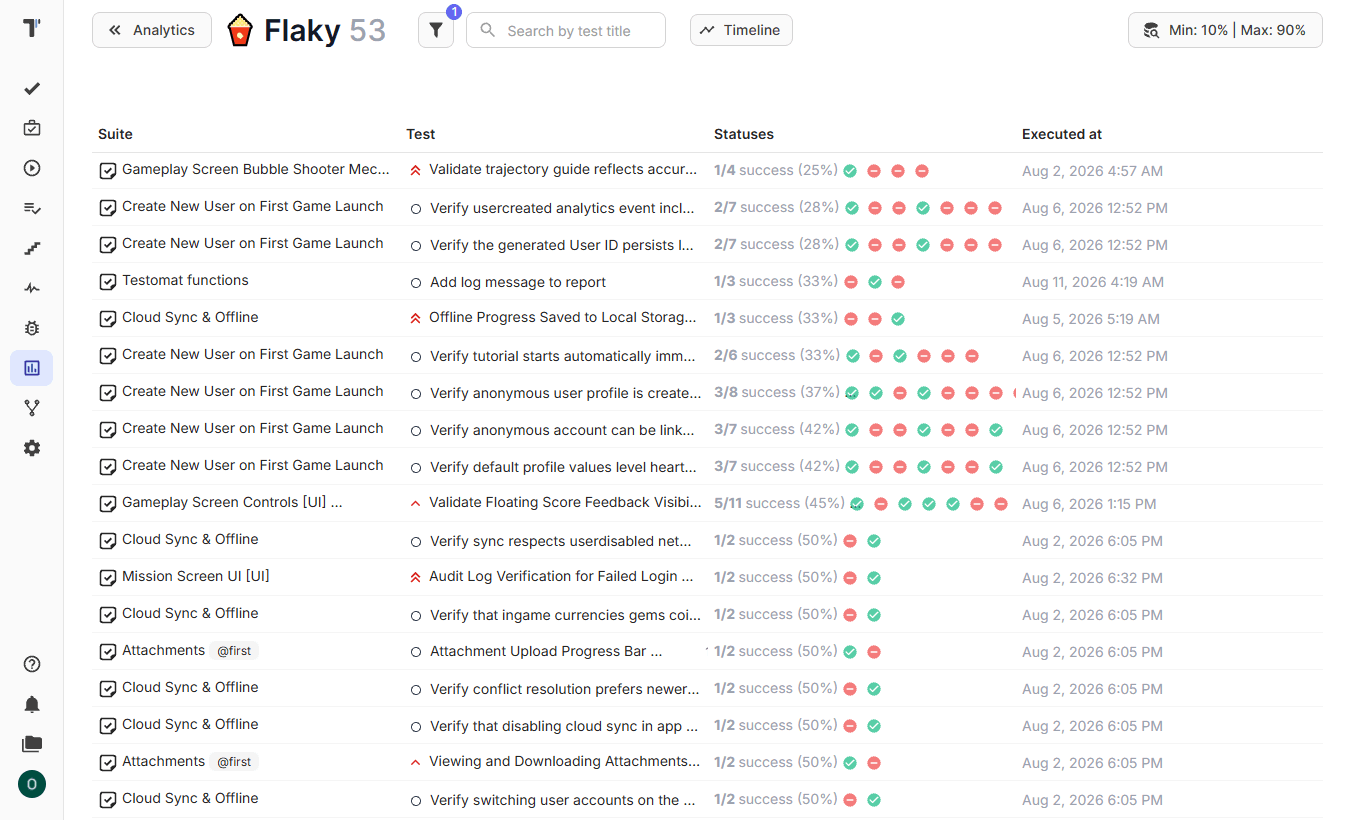
- Flaky tests analytics detects tests that change status between runs of the same code, and the Mark Flaky Tests agent adds a Flaky label to them based on the execution history. You can filter the Flaky label by
type:integrationand see whether the noise sits at the boundary or in the logic.
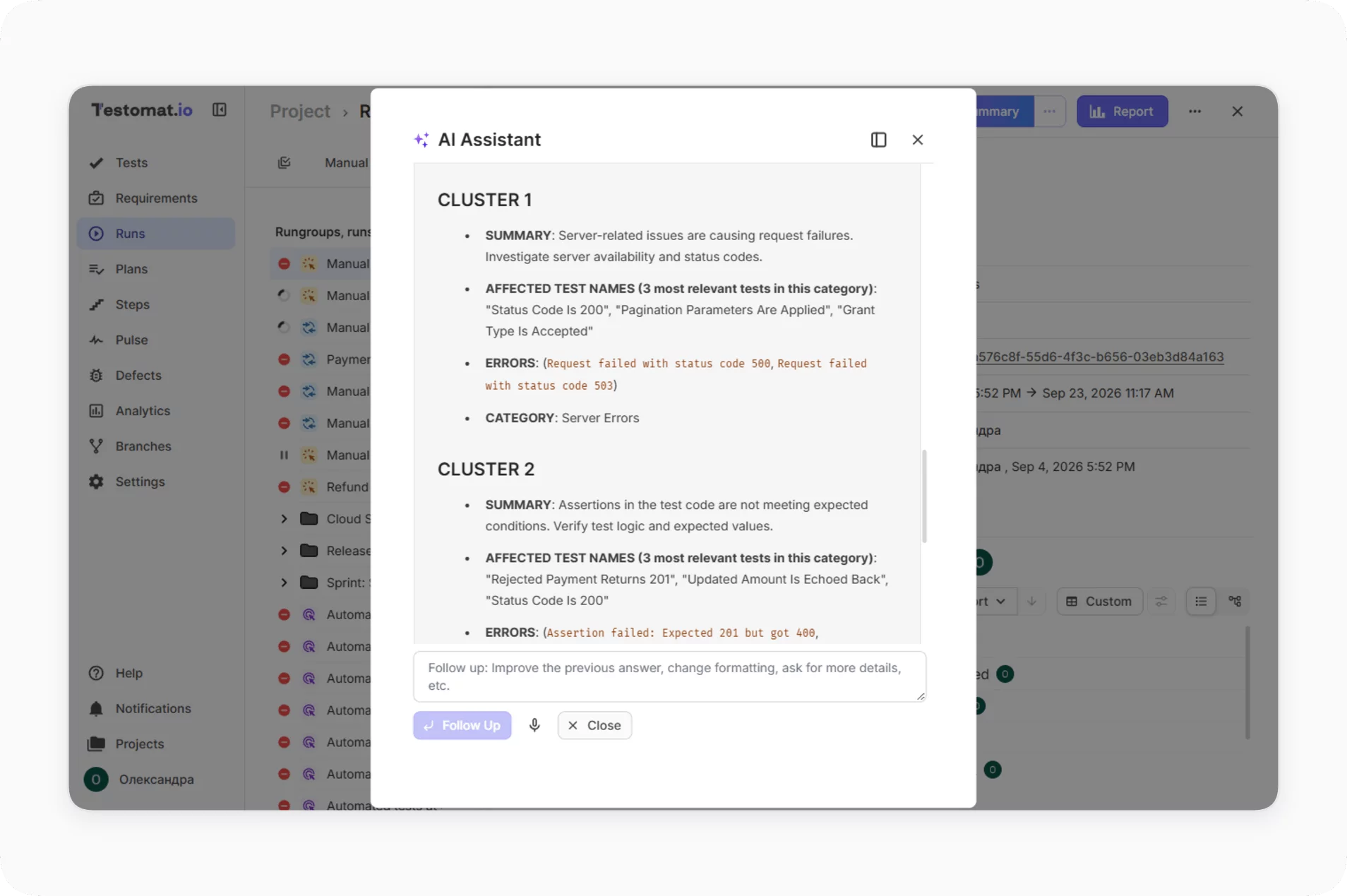
- AI failure clusterization, an experimental feature, groups similar failures in a run. When 40 integration tests fail with the same connection error, the report shows a single cluster instead of 40 rows, and the investigation starts from the shared cause, which makes bug detection faster.
- Testomat.io MCP Server opens the same context to coding agents. It gives AI assistants such as Claude and Cursor read and write access to tests, runs, run groups and labels, so an agent that writes new tests can read the current inventory and the latest failures first. That is the second habit from the previous section.
Bottom Line
Unit tests ensure that your logic is correct, and integration testing ensures that the parts of the application agree with each other. The line between them is the process boundary, and the right ratio depends on the shape of your application and belongs in your test strategy. The release decision needs both layers in a single view, whatever the ratio. Try Testomat.io for free, import your unit and integration tests with a label for each layer, and see both in a single run report.